
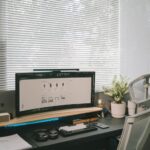



Creating a home workspace that is both relaxing and productive is essential for anyone working or studying from home. A well-designed environment can reduce stress, improve focus, and make your workday more enjoyable. This guide offers practical tips to help you transform your home workspace into a calm and efficient place.
Why a Relaxing Workspace Matters
A workspace influences your mindset and energy levels. When your environment feels cluttered or uncomfortable, it’s harder to concentrate and stay motivated. On the other hand, a relaxing, organized space can enhance creativity, reduce fatigue, and encourage better work habits.
Choosing the Right Location
Find a quiet spot
Select a part of your home with minimal distractions—a corner in a bedroom or a dedicated room works best. Avoid noisy areas like the kitchen or living room if possible.
Consider natural light
Position your desk near a window to take advantage of natural light, which can improve mood and reduce eye strain. If natural light is limited, invest in good quality, adjustable lighting.
Furniture and Ergonomics
Invest in a comfortable chair
A supportive office chair that encourages good posture can prevent back and neck pain, especially if you work for long hours.
Choose a practical desk
Your desk should have enough space for your computer, notebook, and any other essentials without feeling cramped. Adjustable desks that allow standing can also be beneficial.
Ergonomic setup
Keep your computer screen at eye level and your keyboard and mouse within easy reach to minimize strain.
Keep It Organized
Declutter regularly
A tidy workspace keeps your mind clear. Remove unnecessary items and only keep what you need for your current tasks nearby.
Use storage solutions
Shelves, drawers, and organizers help keep supplies neat and accessible without overcrowding your desk.
Manage cables
Use clips or cable organizers to avoid tangled cords. This small change can significantly reduce visual clutter.
Create a Calming Atmosphere
Add plants
Houseplants not only improve air quality but also add a touch of nature that can reduce stress and boost your mood.
Choose soothing colors
Soft, neutral shades like light blues, greens, or pastels create a peaceful environment, while bright or overly dark colors may be distracting.
Personalize thoughtfully
Add a few meaningful items like photos or artwork, but avoid overcrowding the space to maintain a calm feel.
Reduce Noise and Distractions
Use noise-cancelling headphones
If background noise is a problem, headphones can help you focus by minimizing interruptions.
Set boundaries
Let household members know your work hours and ask for quiet during those times to maintain your concentration.
Minimize digital distractions
Turn off unnecessary notifications and use apps that block distracting sites during your work sessions.
Maintain Good Habits
Take breaks
Regular breaks prevent burnout and help maintain focus. Try the Pomodoro Technique: 25 minutes of work, 5 minutes of rest.
Keep the space clean
At the end of each day, spend a few minutes tidying your workspace to start fresh the next morning.
Refresh air and light
Open a window regularly to circulate fresh air, and adjust lighting as needed to stay comfortable.
Final Thoughts
Designing a relaxing home workspace is about balancing comfort, organization, and personal style. By implementing these tips, you’ll create a space that supports both productivity and well-being, making it easier to maintain focus and enjoy your workday. Remember, the best workspace is one tailored to your needs and preferences, so feel free to experiment and adjust as you go!