
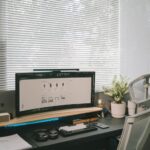



Creating a home office that feels both cozy and productive is essential for anyone working remotely or managing tasks from home. A well-designed workspace can boost your mood, increase focus, and help separate work from personal life. Whether you have a dedicated room or a small corner in your living space, these tips will guide you to transform your area into an inviting and efficient home office.
Choose the Right Location
Before adding furniture or décor, consider where your home office will be. The ideal spot depends on your lifestyle, but some universal factors help:
– Natural Light: Position your desk near a window to benefit from daylight. Natural light can reduce eye strain and lift your spirits.
– Quiet Environment: Select a part of your home with minimal distractions and noise, ensuring better concentration.
– Space: Make sure there’s enough room for your equipment and allows you to move comfortably.
Invest in Comfortable and Functional Furniture
Your furniture plays a vital role in creating a productive workspace.
Ergonomic Chair and Desk
– Supportive Chair: Choose a chair with adjustable height, good lumbar support, and comfortable padding. You’ll spend hours seated, so comfort prevents fatigue.
– Desk Size: Pick a desk large enough for your computer, paperwork, and any other tools you use regularly. Adjustable desks can offer flexibility between sitting and standing positions.
Organizers and Storage
Clutter can hamper creativity and focus. Use shelves, filing cabinets, or desk organizers to keep your space tidy and essentials within reach.
Personalize Your Workspace to Enhance Comfort
Adding personal touches makes your office space feel welcoming, which motivates productivity.
– Decor: Incorporate artwork, plants, or photos that inspire you.
– Colors: Choose soft, calming colors or shades that stimulate focus, like blues or greens.
– Lighting: Besides natural light, use task lighting with adjustable brightness to reduce eye strain during nighttime work.
Optimize Technology and Equipment
Reliable technology is key to productivity.
– Good Internet Connection: Ensure your space has strong Wi-Fi or use a wired connection to avoid interruptions.
– Essential Devices: Use quality headphones or speakers for virtual meetings, and consider a second monitor to increase efficiency.
– Cable Management: Keep cords organized with clips or sleeves to avoid a tangled mess.
Establish a Routine and Boundary
Your workspace should help separate work time from personal time.
– Set Working Hours: Define consistent start and finish times.
– Break Area Nearby: If possible, place a comfortable chair or corner nearby for breaks to refresh your mind.
– Minimize Distractions: Turn off non-work-related notifications and inform household members about your work schedule.
Maintain Good Air Quality and Temperature
Comfort is not just about furniture; air quality and temperature can affect your well-being.
– Ventilation: Regularly open windows or use an air purifier to keep fresh air circulating.
– Temperature Control: Use a fan, heater, or thermostat to maintain a comfortable temperature year-round.
Keep It Clean and Clutter-Free
A clean workspace helps clear your mind. Set aside a few minutes daily to tidy and organize your desk and equipment.
Add Inspiring Elements
Motivation often comes from your surroundings.
– Vision Board: Display your goals or favorite quotes.
– Plants: Adding greenery can improve mood and reduce stress.
—
Creating a cozy and productive home office isn’t just about aesthetics; it’s about crafting a space that supports your workflow and wellbeing. Start by assessing your space and needs, then personalize it step by step. A balanced environment can turn your work-from-home experience into a fulfilling and efficient one.